
How do I know if my LuminAID is charging?Updated 2 months ago
Your LuminAID has a red solar indicator LED that shows when the solar panel is detecting light. 
- The red LED turns on when the solar panel is exposed to light.
- The red LED may remain on even when the battery is fully charged.
- The LED will turn off when the solar panel is no longer exposed to light. Because the solar panel is highly sensitive, the red LED may glow even when your LuminAID isn't in direct sunlight.
How Can I Make Sure My Light Is Charging?
For the best solar charging performance, place your LuminAID outdoors in direct sunlight and away from shade or obstructions.
You can test the solar indicator by covering the solar panel with your hand. The red LED should turn off when the panel is no longer exposed to light.
If your LuminAID has a battery indicator button and four green LEDs, press the button while your light is charging to check the battery level.
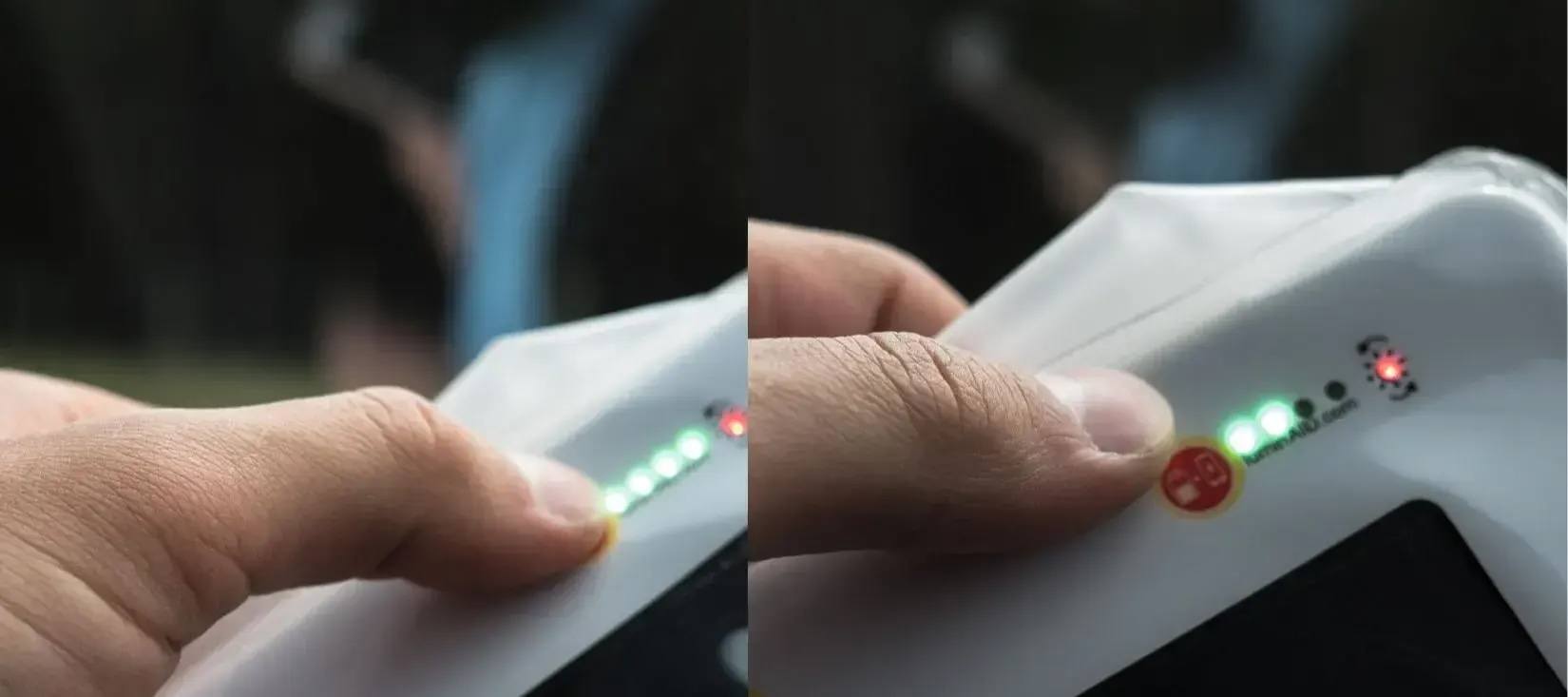
For a visual guide to the indicator lights and battery levels, see our Getting Started Guide.
Related Articles
How Do I Charge My LuminAID light?